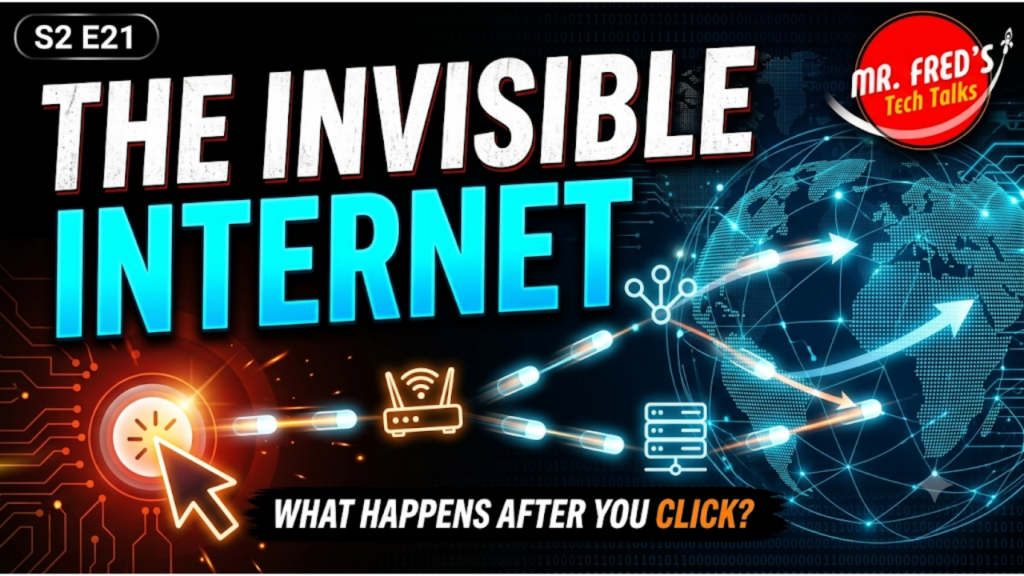
What really happens after you press send?
You click a link.
You send a message.
You open an app.
You ask an AI tool a question.
And in less time than it takes you to blink, information leaves your device, travels across a worldwide network, reaches the correct destination, and returns with an answer.
But how does it know where to go?
In this episode of Mr. Fred’s Tech Talks, we follow the hidden journey behind every click and uncover the invisible internet working underneath our everyday digital lives.
You will learn how packets, IP addresses, routers, DNS, and internet protocols work together to move information across the planet in milliseconds.
No networking degree required.
Just curiosity, a couch analogy, a few blinking routers, and a willingness to follow the click.
In This Episode
Mr. Fred explains:
- Why information is broken into small pieces called packets
- How IP addresses identify devices on a network
- How routers direct data from one stop to the next
- Why DNS works like the internet’s phone book
- How shared protocols allow different devices to communicate
- Why packets may take different routes to the same destination
- How the internet can continue working when parts of the network fail
- Why modern AI still depends on the internet underneath it
- How understanding networks helps kids become better digital creators
The internet may feel like magic, but it is really an incredible system built by people.
And when kids understand that people built it, they can begin to imagine themselves building what comes next.
What Are Internet Packets?
Information does not usually travel across the internet as one large piece.
Instead, it is broken into smaller pieces called packets.
Each packet contains part of the information being sent, along with a header that helps identify:
- Where the packet came from
- Where it is going
- How it fits with the other packets
Think of it like taking apart a couch, placing the pieces into separate boxes, labeling each box, shipping them, and putting the couch back together when all the pieces arrive.
The packets may not all take the same route, but the receiving device can reassemble them in the correct order.
This process is called packet switching.
What Is an IP Address?
An IP address is a numerical address used to identify a device on a network.
Phones, laptops, routers, servers, smart TVs, and many other connected devices use IP addresses so information knows where to go.
An IP address works a little like a mailing address.
Without the correct address, a packet would not know which device should receive it.
What Does a Router Do?
A router acts like a traffic director for internet data.
It looks at the destination address on a packet and decides where to send that packet next.
Each stop along the journey is called a hop.
A packet may travel through:
- Your home router
- Your internet service provider
- A regional network
- A larger internet backbone
- Additional routers near the final destination
Each router makes a decision about the best next step.
This happens again and again, often in milliseconds.
What Is DNS?
DNS stands for Domain Name System.
It is often described as the internet’s phone book.
People prefer website names such as:
GetMeCoding.com
Computers use numerical IP addresses.
DNS translates the website name into the correct numerical address so your browser knows where to send its request.
Without DNS, we would need to remember long strings of numbers instead of familiar website names.
What Are Internet Protocols?
Protocols are shared rules that allow devices to communicate.
One of the most important groups of internet protocols is called TCP/IP.
These rules help devices:
- Break information into packets
- Address the packets
- Send packets across networks
- Confirm that information arrives
- Reassemble the packets at the destination
Devices made by different companies can communicate because they agree to follow the same standards.
Why This Matters for Kids and Parents
The internet is no longer something we simply visit.
It supports schoolwork, communication, entertainment, businesses, livestreams, cloud services, and artificial intelligence.
Understanding how the internet works helps young people ask better questions:
- Why is my internet connection slow?
- Why does a video buffer?
- Why does a website work on one device but not another?
- How does a VPN change my apparent location?
- Why does cybersecurity matter?
- Where does an AI question go after I press enter?
When kids understand that technology is built from systems, rules, and decisions, it becomes less mysterious.
They begin to see technology as something they can understand, troubleshoot, question, and create.
That is the GetMeCoding mindset.
We do not want kids to only consume technology.
We want them to become curious and confident creators.
This Episode’s Tech Challenge: Trace Your Internet Route
This week’s challenge is to see the path your data takes across the internet.
Windows Instructions
Open Command Prompt and type:
tracert getmecoding.com
Then press Enter.
Mac or Linux Instructions
Open Terminal and type:
traceroute getmecoding.com
Then press Enter.
You will see a list of hops.
Each line represents another step your data takes on its way to the destination.
You may see:
- Response times measured in milliseconds
- Internet provider names
- Router or network names
- Locations or abbreviations
- Some lines that time out
A timeout does not always mean something is wrong. Some routers simply do not respond to traceroute requests.
Bonus Challenge
Run the command more than once.
Try it:
- At different times of day
- From a different internet connection
- With another website
- From school and from home
Then compare the results.
Ask:
- How many hops did the data make?
- Which hop was the fastest?
- Which hop took the longest?
- Did the route change?
- What surprised you?
You do not need to understand every line.
Curiosity is the win.
Share What You Discover
Try the Tech Challenge and share what you find in the GetMeCoding community or on social media.
Use the hashtag:
#MrFredsTechTalks
Listen to the Episode
Listen to S2 E21: The Invisible Internet: What Happens When You Press Send? on your favorite podcast platform.
Follow Mr. Fred’s Tech Talks so you do not miss future episodes exploring coding, artificial intelligence, cybersecurity, digital literacy, and the technology shaping our lives.
Keep Learning with GetMeCoding
Explore more beginner-friendly coding activities, technology explainers, parent resources, and creative learning ideas at:
GetMeCoding.com
You can also explore courses and step-by-step learning resources at:
courses.getmecoding.com
Keep learning.
Keep questioning.
Keep building.
And the next time you press send, remember:
The button is only the beginning.